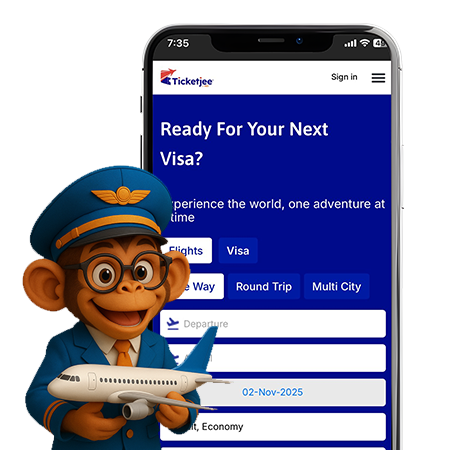
Get more out of ticketjee.com with
our app

Ticketjee App
Ticketjee Mobile App
Book. Fly. Explore

Ready For Your Next flight with Thai Airways

plane icon
plane icon

Fly Thai Airways — Book Fast, Fly Comfortably

Book Thai Airways flights on Ticketjee, compare fares, book instantly, view baggage rules, and get e-tickets. Fast checkout, secure payments, and friendly support.

Why book Thai Airways with Ticketjee

  • We show live Thai Airways fares so you always see up-to-date prices.
  • Fast checkout: complete booking in a few clicks and receive your instant e-ticket.
  • Transparent fees: baggage, seats and add-ons shown before payment — no surprises.
  • Real people to help: support for changes, refunds, and special requests.
  • Mobile-friendly flow: easy booking on phones and desktop.

Download the Ticketjee app now!

Your all-in-one travel app.

Frequently Asked Questions

How do I book Thai Airways flights online?

Search your dates on Ticketjee, pick the best Thai Airways fare, pay securely, and get an instant e-ticket.

Baggage depends on fare and route; Ticketjee shows the exact allowance and add-on prices before you confirm.

Yes — change rules depend on your fare. Use Ticketjee’s Manage Booking or contact support to apply changes.

Your e-ticket is generated and emailed automatically after payment on Ticketjee.

Yes — check in online via Thai Airways or Ticketjee within the allowed window and download your boarding pass.

Many international services include meals; exact offerings and pre-select options appear during booking.

Use the airline’s flight status tool or enter your booking reference on Ticketjee for real-time updates.

Yes, seat choice is available during booking or later in Manage Booking for most fares.

Yes — Royal Orchid Plus lets you earn and redeem miles across Thai Airways and Star Alliance partners.

Add extra baggage during booking on Ticketjee or later via Manage Booking — pre-purchase is usually cheaper than airport rates.

Upgrades depend on availability and fare rules — request through Manage Booking or at check-in if eligible.

Typically passport and booking reference; any visa or health documents will be shown during checkout.

Check-in times vary by route; counters and gate-closing times are listed in your booking confirmation.

Yes — select special or pre-select meals where available up to the deadline shown in your booking.

Add your Royal Orchid Plus number when booking or in Manage Booking to earn miles for eligible fares and partners.